


Published on: 06 November 2026
Last updated on: 06 November 2026
Clearer feedback on bending errors in Sophia®
Do you get an error message on your bent part? On our platform Sophia® you now see which bends cause the issue and what to adjust to fix it, with a concrete value where possible.
See which bends are involved
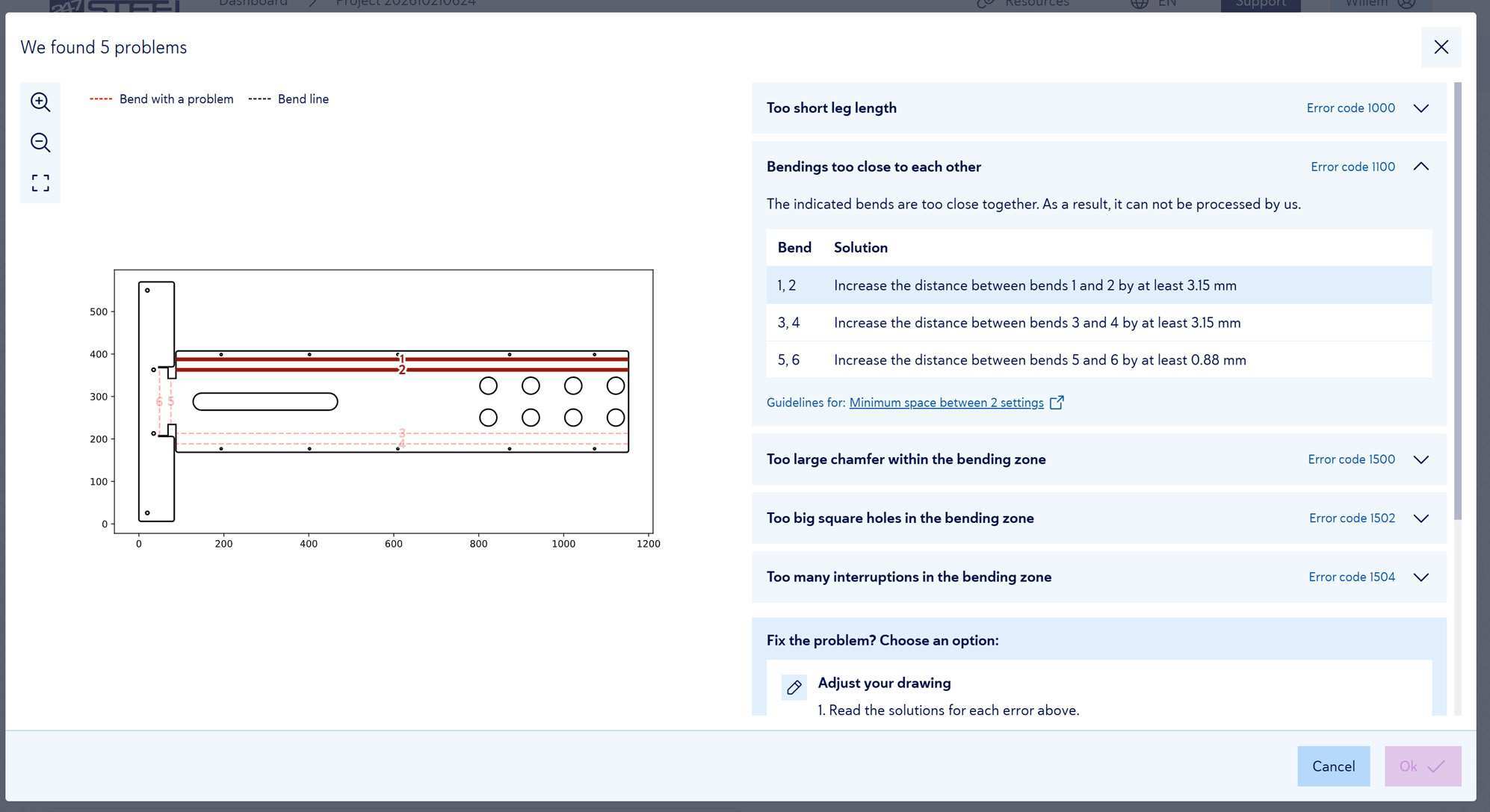
Hover over an error message. The 2D view then highlights the bend lines that belong to that error.
For each bend, see what to adjust
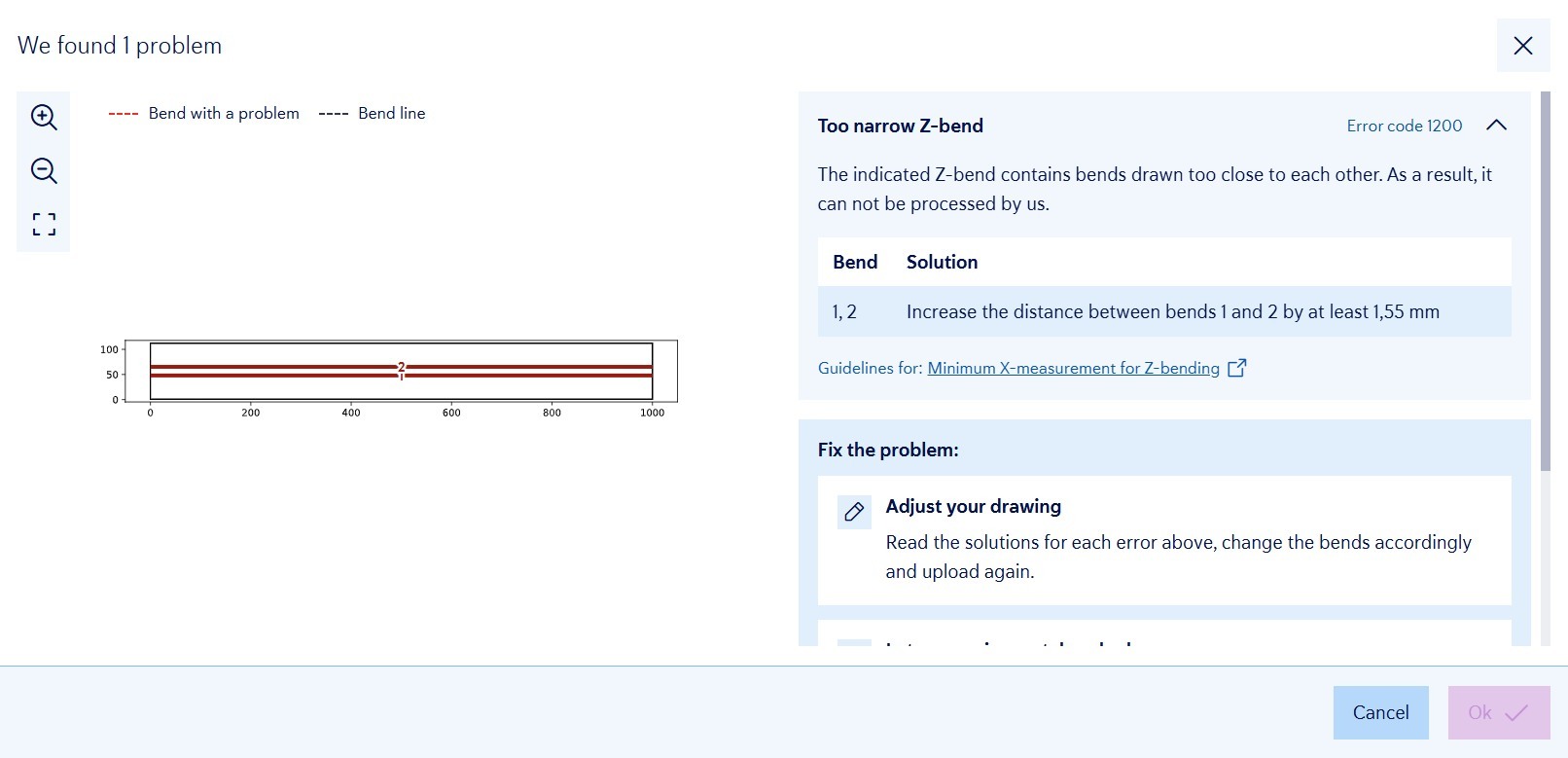
Each error message has a table with the bends involved and, for each bend, what to adjust. Where possible, it shows a concrete value, for example: “Increase the distance between bend 1 and 2 by at least 1.55 mm.”
A clear overview per error code
Each error message sits in its own collapsible item with a title and its error code, such as 1000 (minimum leg length), 1100 (minimum distance between two bends) or 1500 (bevel too large). Each message links to the matching guideline, such as minimum leg length or our bending guidelines.
How do you fix a bending error?
Check the table to see what to adjust for each bend, update your drawing and upload it again. Need help? We help you as quickly as possible. Under “Fix the problem?” you find the next steps, such as contacting support or removing the part.
Want to know how we check your bent parts? Read more about the manufacturability check.