
No CAD file? Describe your part

No CAD software needed: type what you need in your own words and instantly see a 3D model. Adjust it until it's right and order it straight away.

From description to part

A bracket for your workbench, a flange for your project, a plate with exactly the right holes. You know what you need, you have the dimensions or a sketch, but no CAD file. With the Parts Builder, you create that file yourself, simply by describing what you have in mind.

  1. Describe it. Type what you need: shape, dimensions, thickness and holes.

  2. Shape it. You instantly see a 3D model. Refine it with a new sentence, or adjust the dimensions yourself.

  3. Order it. Happy with it? Submit your part, choose your material and see the price and delivery time. Delivery from 48 hours.

Two ways to start

1. Start with your own words. Know exactly what you want? Describe it in as much detail as you like: shape, dimensions, thickness and holes.
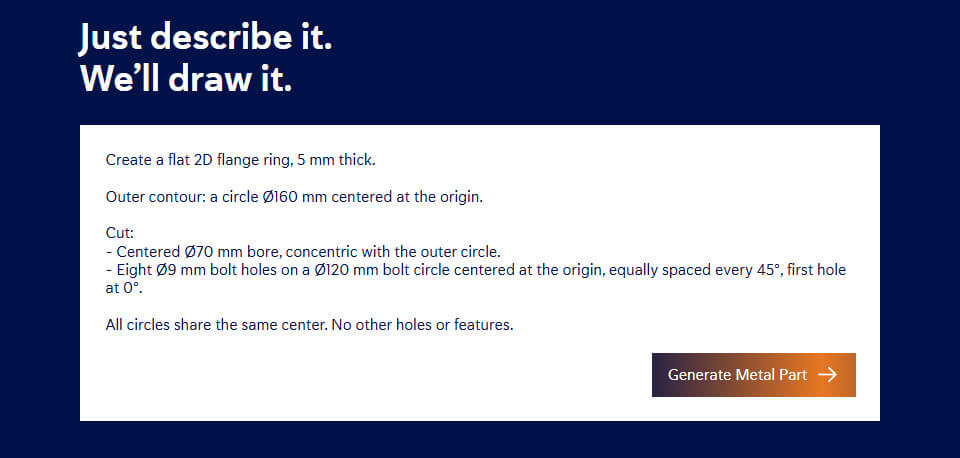
Parts builder prompt ENG

2. Start with a shape. Prefer a starting point? Choose a plate, flange ring, connecting strip or L-bracket, for example. The description is ready to go, and you adjust the dimensions, holes and cut-outs.
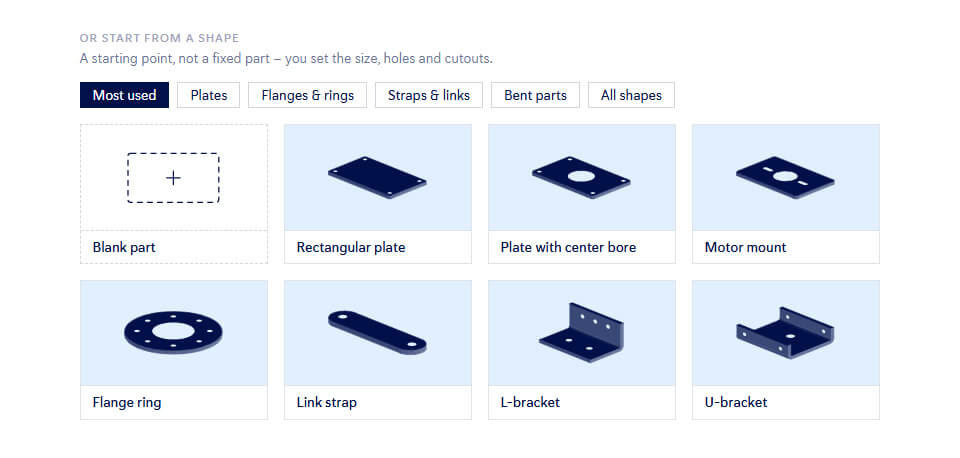
Parts builder startpunt ENG

Refine until it's right

Your part appears in 3D straight away, with its dimensions. Something not quite right? You choose how to adjust it.

  • With a sentence: "make the upright leg 200 mm high" or "add two holes".

  • With the dimensions: enter exact values for every face, hole and bend.

  • With the material: choose the material and thickness you need.

  • With the bend preview: see your part laid flat and how it will be bent.

The Parts Builder keeps growing

We keep expanding the Parts Builder based on how you and other customers use it. Missing something or running into an issue? Let us know and we'll take it on board.

Share your feedback »

Frequently asked questions

No. Describe your part in your own words, or upload a sketch, photo or drawing as a PDF, JPG or PNG. The Parts Builder instantly turns it into a 3D model, which you adjust with a new sentence or by entering the dimensions yourself.

Plates and bent parts, such as brackets, flanges, strips, supports and mounting plates, with custom holes and cut-outs. For tubes, profiles and freeform shapes, order from us with your own CAD file, or ask our CAD conversion service for help.

No. Create a free account and design as many parts as you like. You only pay for what you order, and you see the price before you order.

Yes. There is no minimum quantity: one bracket or a run of a hundred, the quality is the same.

Once your part is right, submit it. It is then ready on our platform Sophia®, just like a part from your own CAD file. Choose your material, see the price and delivery time, and pick your delivery date. Delivery from 48 hours.

You'll see that straight away, along with what is possible. For more complex parts or a complete assembly, our specialists turn your sketch or PDF into a CAD file through our CAD conversion service.

The Parts Builder uses AI to turn your description into a 3D model. We store your data in Europe, with appropriate security. Read more in our privacy policy.

Can't find your question? Check our knowledge base for detailed documentation and frequently asked technical questions.

What do you want to make?

Type it, see it in 3D and order it straight away.
Create a free account and discover how easy it is.

  • Laser cutting and bending in one order
  • Quote within 1 minute
  • Delivered from 48 hours