

Published on: 25 November 2026
Last updated on: 25 November 2026
Faster and clearer: inactive projects are removed automatically
From 20 January 2027, projects that have not been used for more than three months are automatically removed from your Sophia® dashboard. Your project overview loads faster and you see right away what you are working on now.
What's in it for you?
- A faster projects page. Fewer projects in your overview means a shorter loading time.
- A better overview. Your active projects are at the top. No more searching through old trial quotes and one-off requests. Parts you need more often are quicker to find.
How does it work?
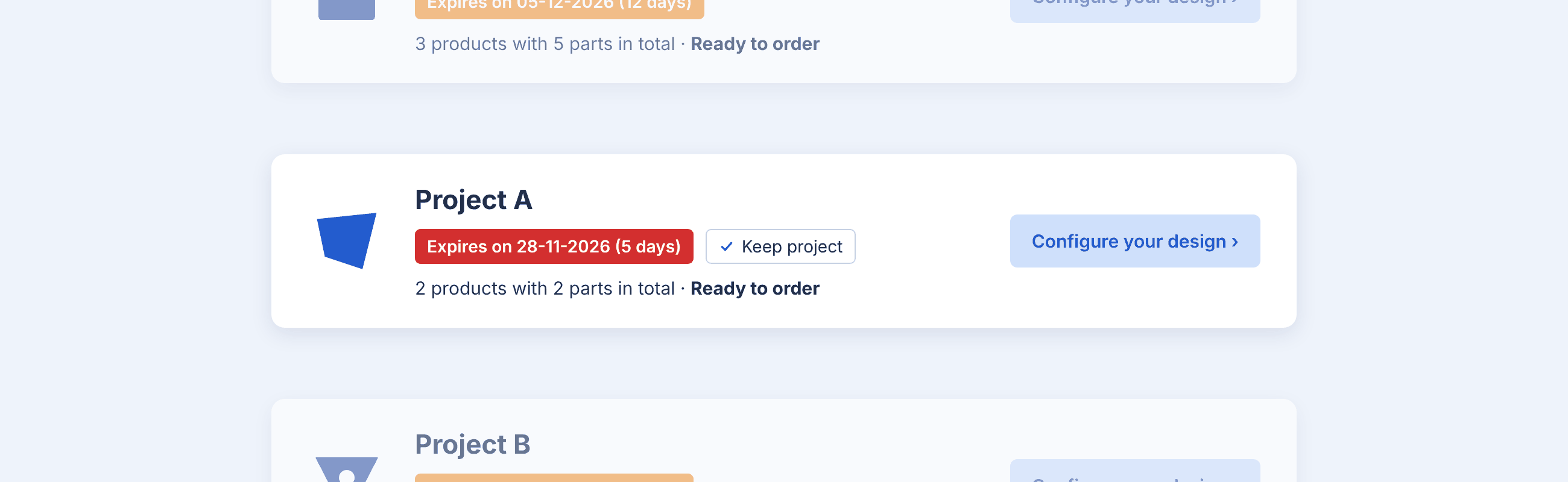
- Haven't opened or edited a project for 2 months? It then gets an orange notification with the scheduled deletion date.
- Want to keep the project? Click Keep project. You don't need to open it.
- 7 days before the deletion date, the notification turns red.
- After 3 months without activity, we delete the project permanently.
Sort your project overview by deletion date to see at a glance which projects will disappear soon.
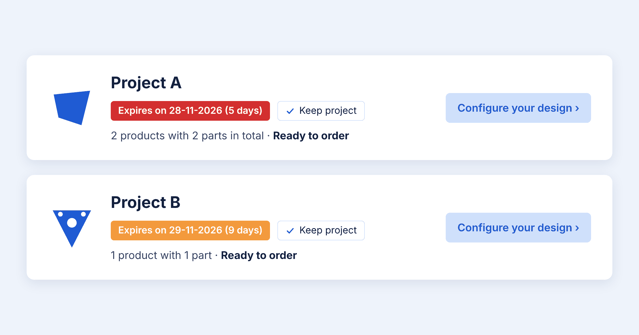
Please note: you cannot recover a deleted project. So keep the projects you want to use later before their deletion date.
Questions? Contact our customer service.